Design
Wow your customers with awesome, eye-catching email templates.
Why not send a regular run-of-the-mill text email? Because visually-stunning templates grab the attention of your customers, reinforce your company brand and achieve a much higher click-through rate. It’s been proven time and time again.
And thanks to the creative efforts of 'Doodles' our superhero DesignBot and the WizEmail design team, knocking up a powerful template will be a piece of cake.
Ready to sign up for your free 30 day trial? You will be in a minute. Because the incredible landing page builder tool we’re about to tell you about is what seals the deal for most of our clients.
And once you've seen what it can do – you’ll most likely be joining them.
Here’s how it works:
- Import the HTML and graphics from your site with just a couple of clicks.
- Edit the content in our Easy Editor to create a brand new landing page.
- Host it with us, so your actual site won’t change.
- Do this as many times as you like.
- Easily link your email pics, text and offers to the new landing pages.
And VOILA! You can knock up tailor-made landing pages, which target specific groups of customers, in no time at all. And it really is as easy as it sounds. No need to spend time and money on designers, developers or IT. And as far as your customers know – they've clicked through to your real website, with a personalized landing page just for them.
Why not use the tool to add competitions, ‘Thank You’ pages or surveys? And how about really personalizing your message with individual customer names at the top?!
Sign up now for our FREE 30 day trial to give it a go. Trust us. When you see the real thing in action, you’ll be knocked for six.
If you’re not much of a designer and don’t want to hire one every time you run a campaign, then relax. You’re in for a treat. Because our wide selection of professional-looking templates are so darn good – even the graphic design agencies often end up using them.
So if you don’t want to start from scratch, you’ll have 3 options:
- Simply pick from over 100 free HTML email templates laid out for you in our template library. Each one has multiple variations to choose from. And because they’re all generic in nature, you can easily personalize them to fit your brand by adding logos, pics, text and playing around with the layout as you wish.
- If none of our free templates catch your eye, don’t worry. There’re plenty more where they came from! Just ask to see our even 'huger' selection of premium email templates.
- Want to go one step further? Give us a full design brief and we’ll work with you to create a unique, bespoke, branded email template that reflects your company in all its glory. It’ll cost you a little more – but it’s worth it!
How do we know our templates are going to get the job done?
- They've been tested on millions of recipients, and proven to get results.
- They work in all major email servers, and look perfect every time.
- We use the most rigorous best-practice guidelines when creating them.
- They meet all accessibility standards.
- When it comes to design, we have a bucket load of talent and experience.
So yes. We know our templates work. And we guarantee their success. I mean, we wouldn't have created a tiny designing robot called 'Doodles' for nothing now, would we?
Imagine this…
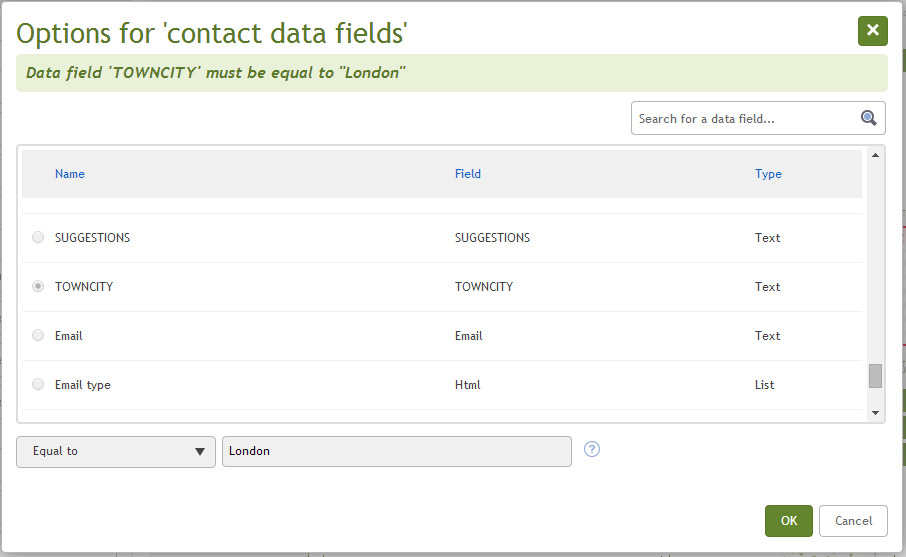
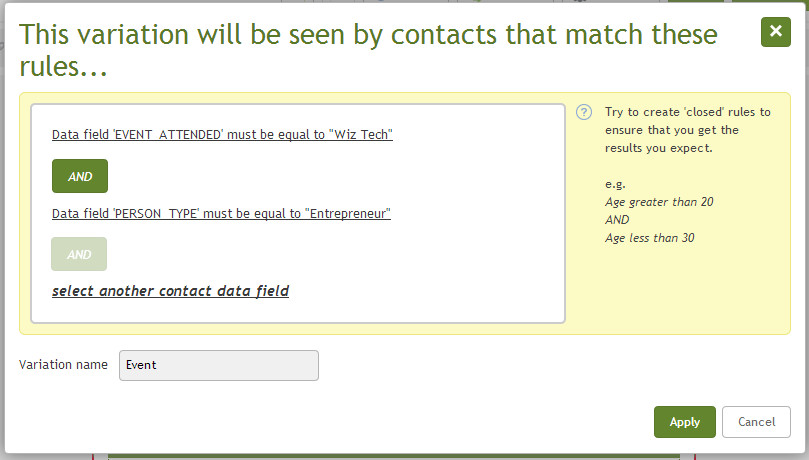
You send out an email to promote your new fashion line. Somehow all your female customers get a special offer on high-heels, while the males see a discount on flat caps – in the very same place on the same email. Sound pretty incredible? Well that’s exactly what you can do with our dynamic content builder.
And it's not just for for separating the boys from the girls. It's for any group of customers you define. These could include:
- Specific promotions for everyone living in London, or any other specific location.
- A special offer for recent iPhone buyers (and a different one for the Samsung lovers).
- A special thank you to everyone who came to your last event.
- Different landing pages on your microsite for customers whose survey answers varied.
- A prize for everyone on your list named ‘John’!
And as you've probably guessed, adding the dynamic content to your email template is easy as pie. It’s just the simple drag and drop method we love so much here at WizEmail (but with a little pushing and shoving from 'Doodles' of course).
So what’s the benefit of the dynamic content builder?
Simple – Multiple variations of content means that you can cut down on the amount of campaigns you run and make each one much, much more targeted and effective.
Which means? Yep. More conversions and a higher ROI.
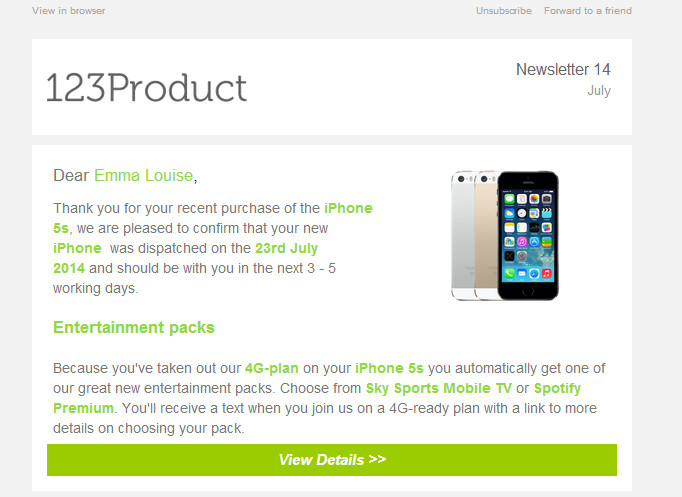
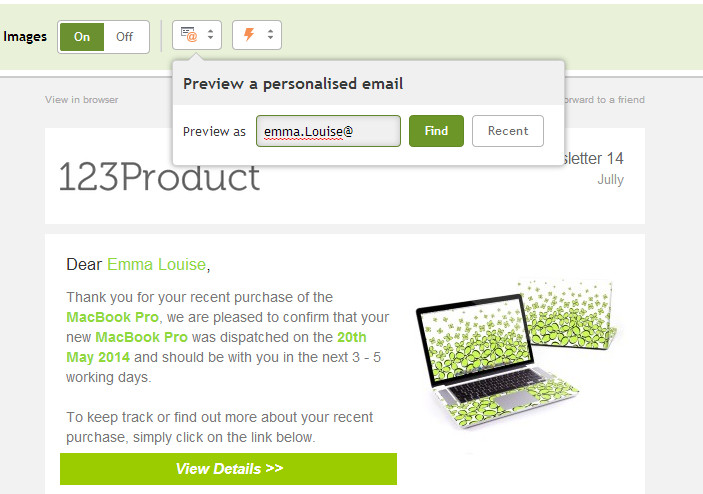
We've all received promotional emails before. Which kind are you more likely to respond to? The one with your name on it or the one with 'Dear Sir/Madam' or worse still, 'Dear </insert name here>'? Personalising emails increases conversions and maximizes your ROI. It’s a fact. But doing it manually will take you forever. So we've made things simple and given you the option to automate up to 10 different personalised fields per campaign, defined by you. These could include:
- First and last name
- Company name
- Date they last ordered from you
- Product they last ordered from you
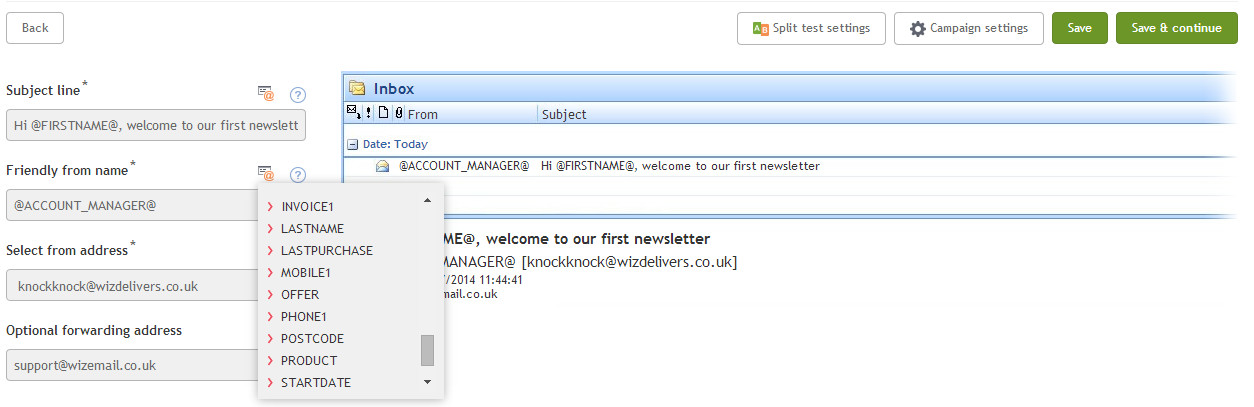
- Your own ‘from’ name!
- Or whatever works best for your campaign.
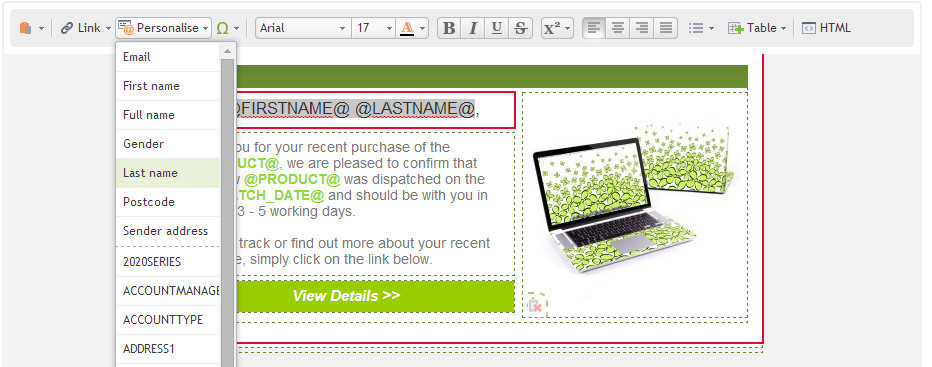
And if you’re missing some data, don’t sweat it. You can create defaults like ‘Dear Colleague’, so that everyone is covered. But is it tricky to set up these personalisation fields? Of course not. You can edit them, import them and export them via the address book manager screen. Then whack them in the email via a handy drop-down menu. But make sure you thank your WizBots for all their hard work behind the scenes! They'll work even harder for you with just a little praise.